How it works
From the first signal to a verified fix.
Eight steps, one record. Each step says plainly whether OpsCommand does it, suggests it, or waits for a person to decide.
The problem
Fragmented tools. Slower resolution.
Monitoring in one tool, complaints in an inbox, tickets in another system, decisions in chat. Each holds part of the truth; nobody holds the whole picture.
Today: scattered
- MonitoringA dashboard
- Customer supportA shared inbox
- Developer ticketsA ticket queue
- CommunicationChat threads
- DeploymentCI logs
- KnowledgeA wiki
Six places, no single owner
With OpsCommand: one record
 INC-1042 · Card payments time out
- AlertCheckout journey failed three times
- Customer reportThrough the support widget
- Developer issueGitHub #412, linked
- DecisionPosted to Microsoft Teams
- DeploymentProduction · deploy #2051
- KnowledgeKnown error, verified
One record, an owner at every step
The OpsCommand approach
- One operational record.
- One accountable workflow.
- One connected team.
Every service, signal, report and fix has its place in one record, with an owner at every step. OpsCommand connects to the tools your teams already use — GitHub, GitLab, Jira, Slack, Microsoft Teams, OpenTelemetry — instead of replacing them.
The lifecycle
Eight steps. Nobody loses the thread.
- AutomaticOpsCommand does it, and records it.
- SuggestedProposed with its sources, for a person to weigh. Off until the organisation turns AI on.
- A person decidesNothing happens until someone with the right role approves.
- 01
Detection
Checks, heartbeats, alert rules and your services’ own errors raise a signal. Repeats are grouped; a critical alert opens an incident.
Kept on recordThe first alert, its time and its source
- 02
Investigation
Everything related is gathered into the incident: other alerts, customer reports, recent deployments and the service’s dependencies. Similar past incidents are suggested.
Kept on recordLinked alerts, reports and changes
- 03
Coordination
The owning team is paged by its escalation policy until someone acknowledges. Customers are told on the status page; the incident has an owner from the first minute.
Kept on recordWho was paged, who acknowledged, what customers were told
- 04
Developer handover
A person hands the fault to development with the evidence attached. AI can draft the handover; a person sends it.
Kept on recordThe handover, its evidence and its linked issue
- 05
Repair
Developers fix the cause. Approved recovery procedures run only after a person with the approver’s role says yes, never by the person who asked.
Kept on recordThe fix, the pull request, every approval
- 06
Deployment
Your pipeline reports the deployment; OpsCommand links it to the incident it fixes, through GitHub, GitLab or the deployments API.
Kept on recordThe deployment and the code that went out
- 07
Verification
The fix counts when the service’s own checks pass in production. A second person can be required to confirm before the incident closes.
Kept on recordThe checks that passed and who confirmed
- 08
Learning
A short review records the cause and the actions. What was learnt becomes a knowledge article and better alerts, so the same fault is caught sooner.
Kept on recordThe review, its actions and the article
How it works
Inside one incident
Illustration, example data
01
Detect early
Every service is checked from outside, and its own signals are watched. Payments API latency crossed its limit at 13:58; the first customer wrote at 14:09.
How detection worksPayments API latency
2.4 s
p95 · last 24 h
Alert at 2 s
14:40 yesterdayNow
02
Coordinate fast
The owning team is paged, acknowledges and works from one record, and customers are told from the same place. When AI is switched on, it suggests similar incidents with evidence; a person decides.
How coordination works- AlertCheckout check failing
- OpenedCritical, from 12 grouped alerts
- PagedPlatform team on call
- Acknowledged2 min after paging
- Customers toldStatus page updated
03
Verify every fix
The fix is linked to the deploy that made it, and the incident closes only when the service’s own checks pass and a second person confirms.
How verification works- Fix deployedPR #412 → deploy #2051
- Checks passEvery check, checkout included
- VerifiedConfirmed by a second person
Resolved in 1 h 18 min, every step on record
While it happens
One screen for everyone in the room.
The command board brings the incident, its timeline, its impact and its people together.
Illustration, example data
OpsCommandYour organisationProductionExecutive Command Dashboard14:40 UTC01Executive intelligence
Performance
24 h7 days30 daysAvailability
99.86%
30 days · all services
Objective 99.9%
30 d agoToday
Payments API latency
2.4 s
p95 · last 24 h
Alert at 2 s
14:40 yesterdayNow
Incidents
26
Per week · 8 weeks
This week
8 wk agoThis week
Response and resolution
4 min · 2 h 41 min
To acknowledge · to resolve
AcknowledgeResolve
8 wk agoThis week
Error budget
64% left
Checkout · this month
At this rate: empty in 9 days
1 Nov30 Nov
02Incident command
Incident command
3 activeINC-1042 · response so far
- AlertCheckout check failing
- OpenedCritical, from 12 grouped alerts
- PagedPlatform team on call
- Acknowledged2 min after paging
- Customers toldStatus page updated
- AI suggestionAwaiting a person
- On call
- Platform teamAcknowledged 14:08 · 2 min
- Customers
- Status pageUpdated 14:09
- Linked
- 12 customer reports1 related incident
Operational intelligence
Suggested by AIINC-1042 · Card payments time out
Leading hypothesis
The Payments API’s database connection pool is exhausted after deploy #2049.
Similar incidents
- INC-0987Pool exhausted after a config changeResolved in 46 minStrong match
- INC-0911Payment timeouts during a traffic peakResolved in 2 h 05 minPartial match
Evidence
- DeployDeploy #2049 · pool size 50 → 20 at 13:40
- Metricp95 latency above 2 s since 13:58
- Logs“connection timeout” on every instance since 13:41
Recommended investigations
- Compare the pool settings before and after deploy #2049
- Check open database connections against the limit
- Follow the connection pool runbook from INC-0987
03System intelligence
Service health
Dependencies and impact- Customer websiteDegraded
- Mobile appVerifying fix
- Payments APIOutage
- Booking serviceOperational
- IdentityOperational
- Data infrastructureConnections saturated
Impact spreads from the Payments API to checkout on the customer website.
- Operational
- Degraded
- Outage
- Impact path
Event stream
Today- VerifiedINC-1041Booking confirmations: checks green, verified by a second person, closed
- DeployINC-1039Deploy #2048 to the mobile app: sign-in fix, awaiting verification
- DeployDeploy #2049 to the Payments API: connection pool size changed
- AlertPayments API p95 latency above 2 s · 12 alerts grouped
- AlertCheckout journey failed · three times in five minutes
- IncidentINC-1042Opened as critical from the grouped alerts
- On-callINC-1042Platform team paged · acknowledged at 14:08
- CustomersINC-1042Status page updated for customers
- IncidentINC-1043Opened as major, linked to INC-1042
- AIINC-1042Suggestion ready: similar to INC-0987 · awaiting a person
In the product
Incident Management, as it is today.
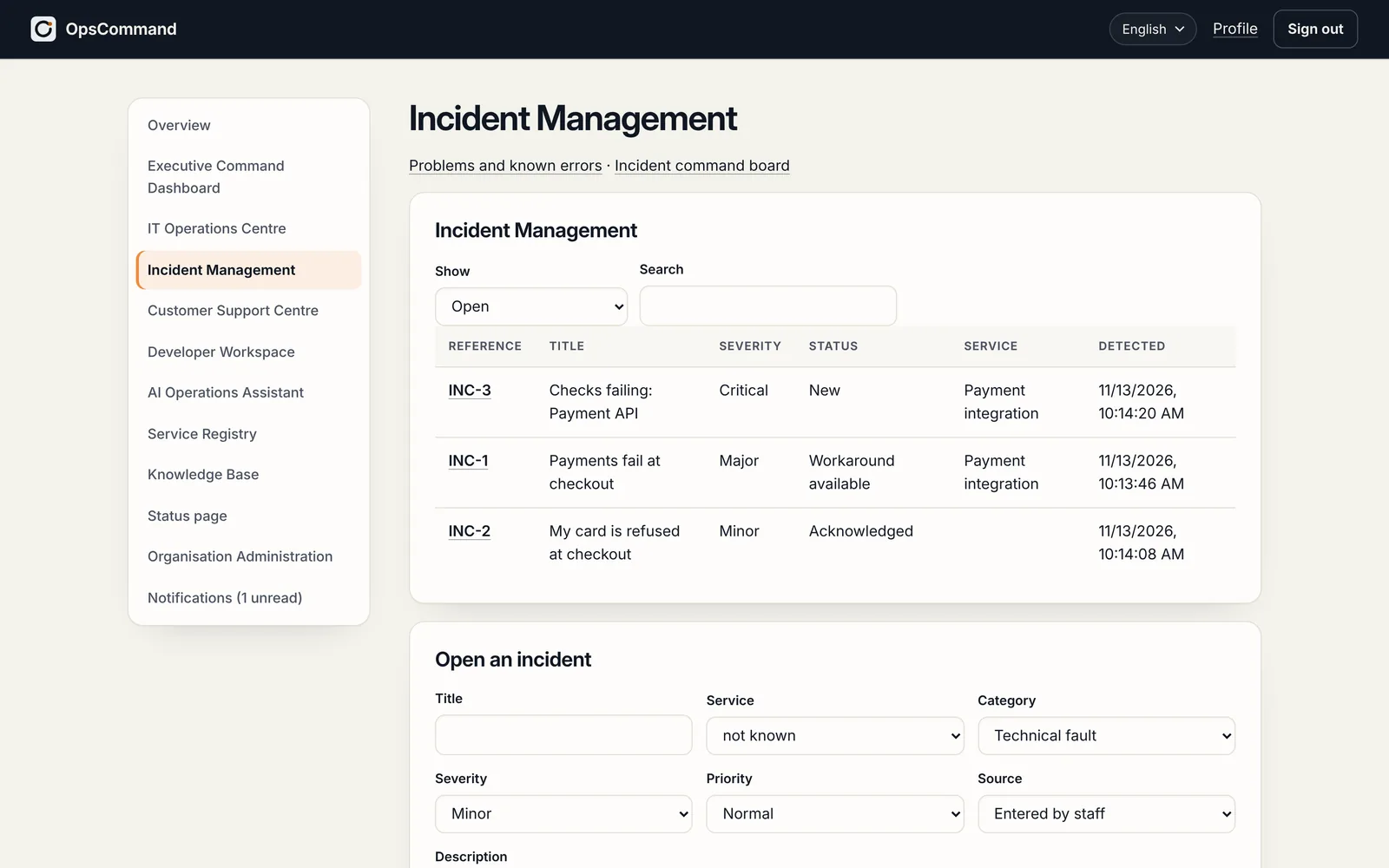
See OpsCommand on your own services.
A 45-minute walkthrough with the people who run your services: one incident, from first alert to verified fix.
